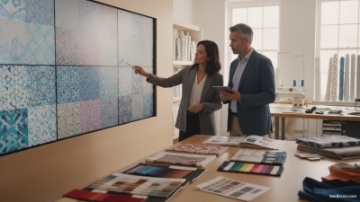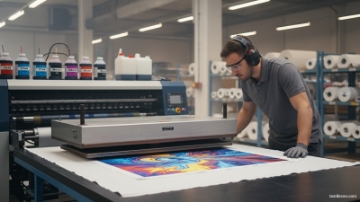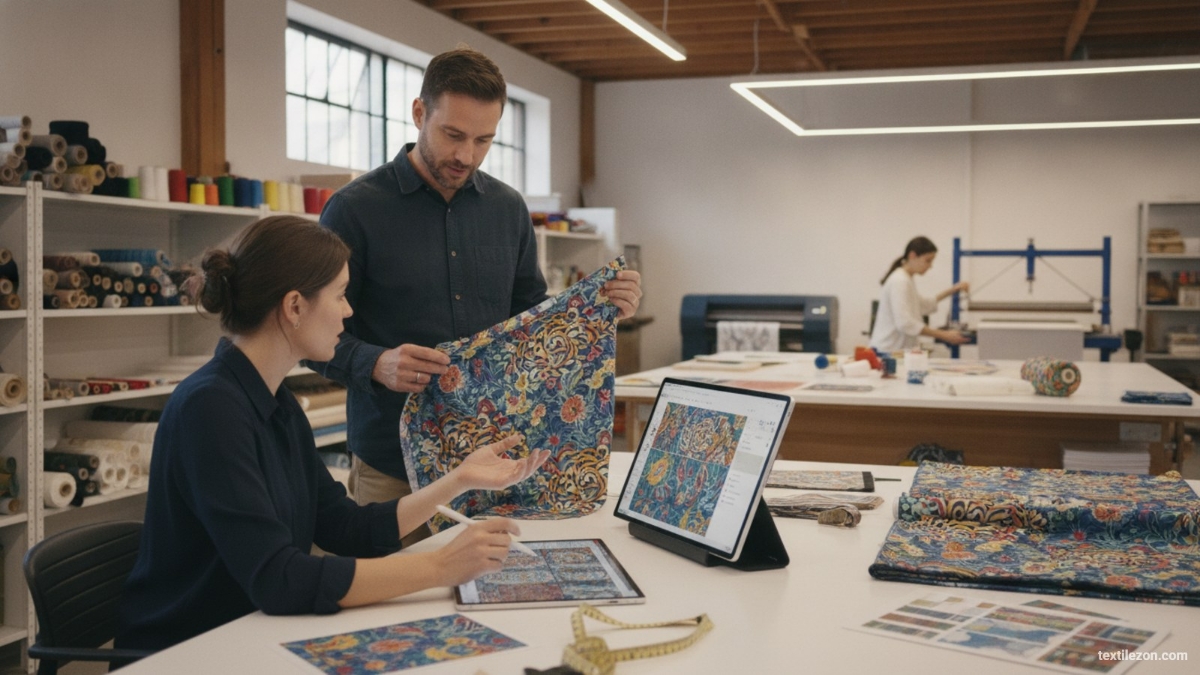
Generative AI is transforming how textile designers create print patterns, offering unprecedented speed and creative flexibility. From botanical florals to geometric repeats, AI-powered tools now let designers generate hundreds of pattern variations in minutes. For manufacturers and design studios, this shift is not just a creative opportunity — it is a direct competitive advantage in fast-moving fashion and home textile markets.
Table of Contents
- What Is Generative AI in Textile Print Design?
- Key AI Tools for Creating Textile Prints
- Step-by-Step Workflow: From Prompt to Pattern
- Crafting Effective Prompts for Print Design
- Integrating AI into Your Design Pipeline
- Limitations and Ethical Considerations
- Frequently Asked Questions
- Key Takeaways for Textile Design Teams
What Is Generative AI in Textile Print Design?
Generative AI refers to machine learning models that create new visual content from text or image inputs called prompts. In textile design, these systems learn from large datasets of patterns, artworks, and design styles to generate original imagery on demand. The output can be adapted directly into repeat patterns for fabric printing.
Unlike traditional CAD design software, generative AI does not require manual drawing skills. A designer inputs descriptive text — such as "watercolor floral pattern in indigo and terracotta on white linen" — and the model produces a usable visual within seconds. This compresses the concept-to-sample timeline that once took days or weeks.
The technology builds on diffusion models, a class of AI that progressively refines random noise into coherent images. Leading platforms including Midjourney, Stable Diffusion, DALL-E 3, and Adobe Firefly all use variants of this approach. Each platform offers different strengths in texture fidelity, color accuracy, and stylistic range.
Key AI Tools for Creating Textile Prints
Several AI platforms have become standard in textile design workflows. Choosing the right tool depends on your design goals, technical expertise, and budget.
Midjourney
Midjourney is widely recognized for its high aesthetic quality and stylistic versatility. It excels at producing organic, painterly patterns — especially botanical, abstract, and heritage-inspired designs. Designers access it through Discord and control outputs using detailed text prompts and style parameters.
Its tile mode (using the --tile parameter) generates seamlessly repeating patterns, which is critical for fabric yardage production. This feature makes Midjourney particularly useful for surface designers working on printed cotton, woven fabrics, and home textile collections.
Stable Diffusion
Stable Diffusion is an open-source model offering the deepest customization options available today. Designers can fine-tune the model on proprietary pattern libraries using LoRA (Low-Rank Adaptation) training, teaching the AI to replicate a specific brand aesthetic. This approach is especially valuable for manufacturers with established design identities.
Running Stable Diffusion locally or on private cloud servers addresses data privacy concerns, since proprietary designs never leave company infrastructure. User-friendly interfaces like ComfyUI and Automatic1111 make the model accessible to designers without deep technical backgrounds.
Adobe Firefly and Canva AI
For design teams embedded in Adobe Creative Cloud, Adobe Firefly integrates directly into Photoshop and Illustrator. Its Generative Fill feature allows precise edits to existing patterns — replacing color fields, extending repeat boundaries, or adding design elements without rebuilding base art. Canva AI offers similar accessibility for teams requiring rapid pattern ideation with minimal technical setup.
Step-by-Step Workflow: From Prompt to Pattern
Implementing generative AI effectively requires a structured, repeatable workflow. The following five-step process applies across most AI platforms and textile design contexts.
Step 1: Define the Design Brief
Before opening any AI tool, establish clear design parameters. Define the end use (apparel, home textiles, or accessories), intended fabric substrate, color palette, repeat type (half-drop, brick, or full-drop), and target market aesthetic. This brief informs every prompt decision downstream and prevents wasted generation cycles.
Step 2: Write the Initial Prompt
A strong textile design prompt includes subject matter, artistic style, color palette, mood, and technical specifications. Example: "Dense tropical leaf pattern, Art Deco style, emerald green and gold on cream background, flat graphic illustration, seamless tile, high resolution."
Specificity drives quality — vague prompts produce generic results. Include style references such as "William Morris-inspired," "Japanese Shibori," or "1970s geometric" to anchor the aesthetic direction precisely.
Step 3: Generate and Curate
Generate a batch of 4 to 16 initial images per prompt variation. Curate ruthlessly — select only outputs that meet the design brief and show structural potential as repeating patterns. Most designers advance 10 to 20 percent of raw AI output for further development.
Step 4: Refine in Vector or Raster Software
Raw AI output is rarely print-ready and always requires professional post-processing. Import selected images into Adobe Illustrator for vector conversion or Photoshop for raster refinement. Adjust colors to match Pantone or client specifications, clean edge artifacts, and build the final repeat tile to exact dimensions.
Adobe Illustrator's Image Trace function converts raster AI output to scalable vector art suitable for rotary screen printing or digital inkjet printing. This post-processing step is non-negotiable for commercial production quality.
Step 5: Technical File Preparation
Prepare final print files to industry standards. For digital textile printing, export at a minimum of 150 dpi at full print scale, with 300 dpi preferred for fine-detail patterns. For screen printing, convert artwork to separated spot colors and verify registration marks. Ensure repeat tile dimensions match the printer's format specifications — typically 64 cm, 90 cm, or 110 cm repeat widths for flat-bed digital printers.
Crafting Effective Prompts for Print Design
Prompt engineering is the core skill that determines AI output quality in textile design. Designers who invest time in developing structured, specific prompts consistently achieve better results than those using generic descriptions.
Use the following template as a repeatable prompt structure:
- Subject: What elements appear in the design? (e.g., "peonies and butterflies")
- Style: What artistic tradition or period? (e.g., "chinoiserie porcelain illustration")
- Color: Specific palette with background color (e.g., "cobalt blue and white")
- Mood: Emotional tone and feel (e.g., "delicate, romantic, vintage")
- Technical: Format specifications (e.g., "seamless pattern tile, flat design, no shading")
- Negative prompts: Elements to exclude (e.g., "no photorealism, no text, no borders")
Negative prompts are particularly powerful in Stable Diffusion and Midjourney. They remove unwanted elements — such as photographic textures that do not translate well to fabric printing — directly from the generated output.
Integrating AI into Your Design Pipeline
For textile manufacturers and design studios, AI integration should be phased and strategic. Rushing full adoption before team training or workflow mapping creates friction and reduces output quality.
A practical integration roadmap progresses through three phases. In phase one, use AI exclusively for mood boarding and concept ideation — generating visual references without committing to production files. In phase two, introduce AI as a pattern generation assistant alongside human designers who refine the outputs. In phase three, use AI for rapid colorway development, applying new palettes to existing pattern structures to accelerate seasonal collection delivery.
Design teams adopting this phased approach report significantly faster concept-to-sample cycles. For B2B suppliers, faster sampling translates directly into competitive advantage in fast-fashion and on-demand manufacturing segments.
Limitations and Ethical Considerations
Generative AI in textile design presents important limitations that practitioners must address before integrating the technology into commercial workflows.
Intellectual Property and Copyright
AI models trained on publicly scraped datasets may produce output resembling copyrighted works. The legal landscape around AI-generated design ownership remains unsettled across most jurisdictions. Until clearer regulation emerges, manufacturers should use AI output as a creative starting point for human-modified designs rather than deploying raw AI images directly in commercial products.
Technical Print Constraints
AI-generated images frequently lack the technical precision required for industrial textile printing. Color gamut issues, insufficient resolution, and imperfect repeat tile edges are common problems requiring professional correction. Designers must verify that AI-generated color profiles are compatible with their specific printing process — reactive dye digital printing operates within a different gamut than pigment printing.
Brand Consistency Challenges
Maintaining a consistent brand aesthetic across AI-generated collections requires systematic prompt management. Design teams should build and maintain a prompt library — a curated set of tested prompts that reliably produce brand-aligned outputs. Combining a prompt library with Stable Diffusion LoRA fine-tuning currently provides the strongest brand consistency control available for AI-assisted design workflows.
Frequently Asked Questions
What AI tools work best for seamless textile pattern generation?
Midjourney (using the --tile parameter), Stable Diffusion with seamless tiling extensions, and Adobe Firefly are the most widely adopted tools for seamless textile pattern generation. Midjourney leads in aesthetic quality, Stable Diffusion offers the most customization and data privacy control, and Adobe Firefly integrates directly with professional design software used in commercial studios.
Can AI-generated textile designs be used commercially without copyright risk?
The copyright status of AI-generated designs remains legally uncertain in most countries. Applying meaningful human creative modification to AI output before commercial use reduces this risk significantly. Adobe Firefly holds a distinct advantage in this area — it is trained exclusively on licensed content, which reduces copyright exposure compared to other platforms.
What resolution do AI-generated images require for fabric printing?
Digital textile printing requires a minimum of 150 dpi at full print scale, with 300 dpi preferred for fine-detail patterns. Most AI tools generate images at 1024×1024 or 2048×2048 pixels — sufficient for small repeat tiles but requiring upscaling for full-width yardage. AI upscaling tools such as Topaz Gigapixel can enhance resolution for large-format repeat applications without significant quality degradation.
How long does it take to produce a print-ready file from an AI prompt?
For an experienced designer, the full process from initial prompt to a refined, print-ready pattern tile typically takes 2 to 4 hours. This includes prompt iteration, image curation, post-processing in design software, and technical file preparation. A comparable pattern developed through traditional manual design typically requires one to three full working days.
Do textile designers need coding skills to use generative AI tools?
No coding skills are required for Midjourney, DALL-E 3, or Adobe Firefly, which operate through standard web or application interfaces. Stable Diffusion requires basic technical setup but user-friendly interfaces like ComfyUI minimize the coding barrier substantially. Fine-tuning models on proprietary brand datasets does require technical expertise or collaboration with an AI developer.
Key Takeaways for Textile Design Teams
- Generative AI compresses design timelines significantly, enabling faster concept-to-sample cycles for manufacturers and exporters.
- Midjourney, Stable Diffusion, and Adobe Firefly each serve different workflow needs — the right tool depends on your customization requirements and technical capacity.
- Structured prompt engineering — combining subject, style, color, mood, and technical parameters — is the core competency that drives AI output quality.
- AI output always requires post-processing in professional design software before submission as a print-ready file.
- A phased integration approach builds team capability effectively and reduces adoption friction across design departments.
Generative AI represents one of the most significant technology shifts in textile surface design in recent decades. Design studios and manufacturers that build this competency now will gain a lasting advantage in sampling speed, creative volume, and pattern range. Explore more technical articles on textilezon.com to stay at the forefront of textile innovation.